



How we work
From diagnostic to a system in operation, with a person approving what matters. Here is the full process and the vocabulary we use across the site.
The IS2 method in four steps
The same four steps on every project, from the smallest to the most complete.
- Step 01
Diagnose
A paid, structured assessment of your commercial operation — sales, costs, administration, and data. Guided working sessions where every answer is graded on an evidence ladder: nothing reaches a recommendation until it has been observed in a real file, screen, or number, not just claimed.
- Step 02
Design and scope
The diagnostic produces a gap map and an exact plan: which modules, in what order, at a closed price — not an estimate. What is out of scope is written down too, so there are no surprises and no open-ended projects.
- Step 03
Build with an agent fleet
We build the system on your real data and put it in front of your team in weeks, not quarters. AI does the work — reading requests, filling quotes, generating documents — and a human approves before anything goes out.
A person approves - Step 04
Operate and evolve
A system that stands still is a system that dies. We either hand over everything cleanly — code, data, documentation — or stay on as your systems partner with a weekly improvement cadence, quality gates, and a support desk.
What happens after the diagnostic
Before anything is built, it is put in writing. Timeline and price are set in the scope, not before.
You describe your process
The guided diagnostic is five short steps. You send it from your own email and we reply with the next steps toward a proposal.
Evidence-based diagnostic
Working sessions with your team. Nothing reaches a recommendation until it is observed in a real file, screen, or number.
Closed scope in writing
A gap map and an exact plan: which modules, in what order, what is out of scope, and a closed price for that scope.
You start small
We build one level at a time and move to the next only when the previous one has shown results in your own numbers.
Handover or continuity
At the close, code, data, and documentation can be handed over in full, or we stay on as your systems partner.
What a system in discovery looks like
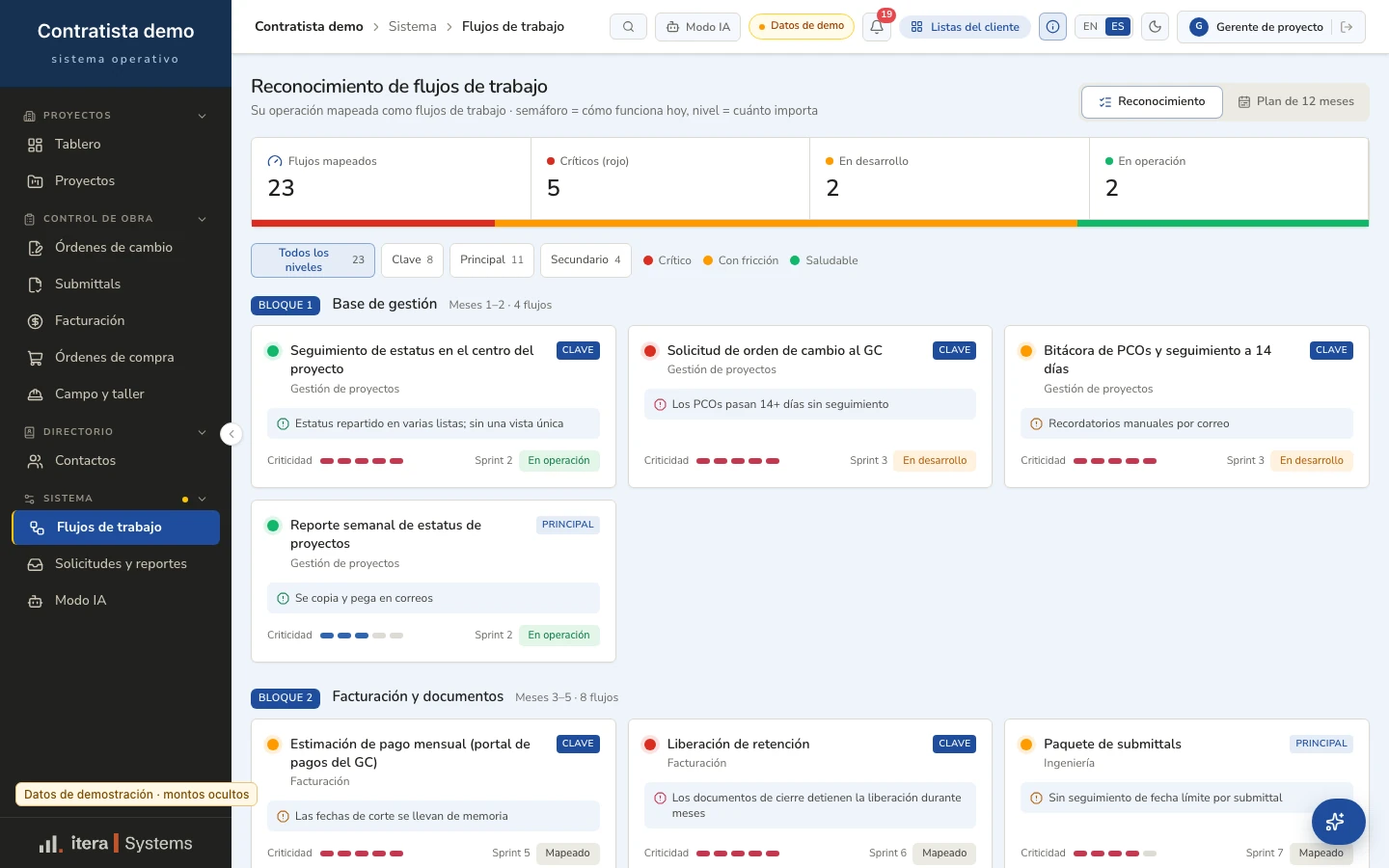
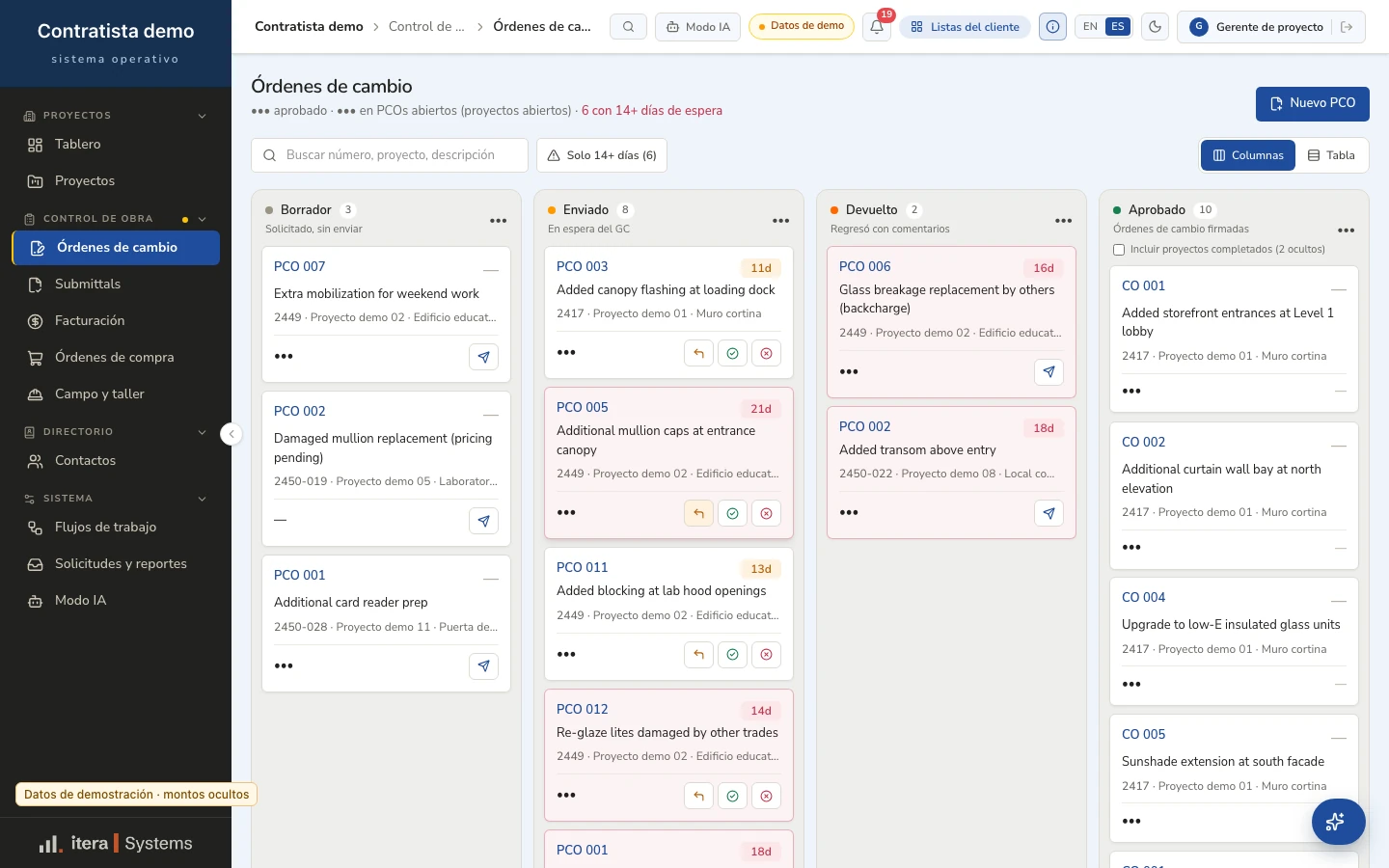
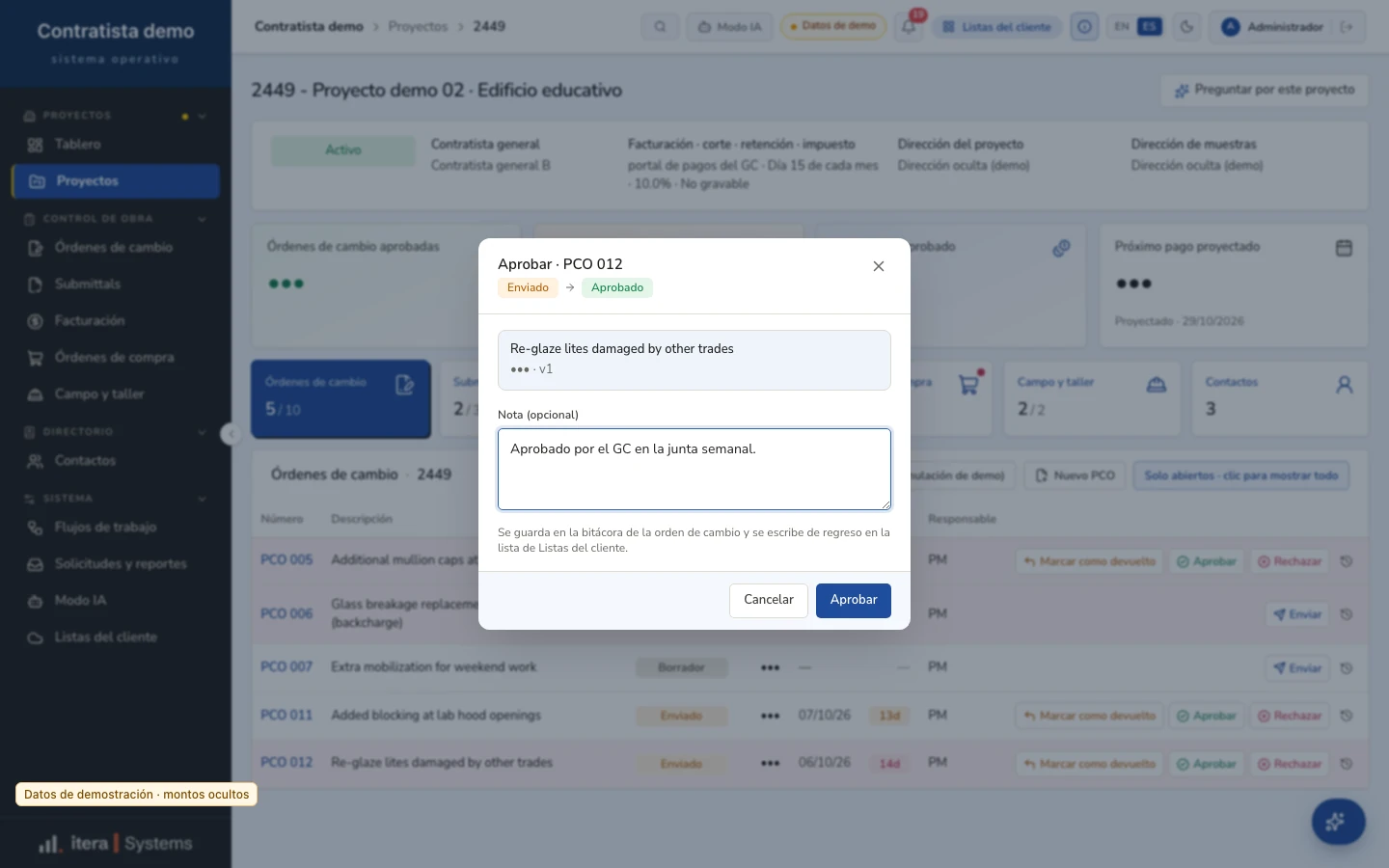
During the diagnostic we build a prototype with fictitious data to validate the workflows with you before building. It is not a client or a delivered project: it is a working tool to see your process on screen.
What each status means
Every case on the site carries a status. These are the exact labels we use and what each one means.
- In production · in-houseProduction-deployed · operated with the client teamIn operation · paid media via API
The system runs every day, in our own company or with a client's team.
- Capability verified · first deployment pre-launchBuilding · agent built, pre-launch
It is built and the capability is verified; the client deployment has not launched yet.
- In discovery
We are mapping the process with the client; there is no system in operation yet.
- Delivered in a prior role · 50+ enterprise clients
A result from the team's work in a role before IteraSystems; we cite it as track record, not as our own case.
What "Illustrative" and "Demo data" mean
- Illustrative
A scene or comparison that explains the logic of a workflow. It is not a screen from a system and contains no real prices, clients, or figures. When a figure is real, the site says which case it comes from.
- Demo data
A screenshot of a system or prototype, taken on a copy with fictitious data: no client names, no prices, and amounts hidden.
How agents work with your data
Principles that apply on every project, from the first agent.
A person approves what matters
Agents take the repetitive work; quotes, sensitive replies, and publications go through a person before they go out.
Your data lives in your tools
Agents work on what your team already uses (WhatsApp, spreadsheets, your ERP or CRM), with role-based access. Your data stays yours.
Everything is logged
Every agent action is logged, and rules limit what each agent may do.
If something fails
AI can make mistakes. That is why nothing goes out unreviewed: anything unclear goes back to a person with a summary, and there are automated backups.
What we don't do
- We don't publish prices: each scope is quoted after the diagnostic, with a closed price in writing.
- We don't promise dates before the diagnostic: the timeline is set in writing in the scope.
- We don't replace your ERP or your tools: we build on what you already use.
- We don't let an agent send quotes, sensitive replies, or publications without a person approving them.
- We don't replace your team: the agent takes the repetitive work and your team decides.
What would your first agent be?
Tell us which process costs you the most. The guided diagnostic is five short steps and shows no prices.
Email: ventas@iterasystems.mx